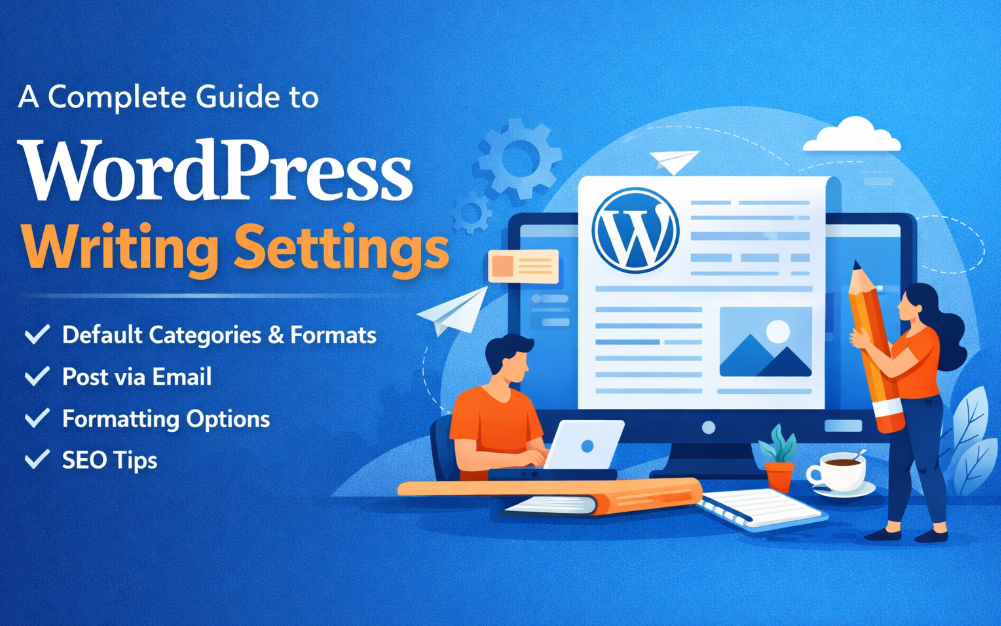
WordPress is among the most popular content management systems in the world, and one of the key factors behind its success is the ease with which it facilitates content writing and publishing. Regardless of whether you have a personal weblog, business website or a news source, it is important to know the writing settings in WordPress to streamline your work. The website applications, such as WP-1Click, usually utilize optimized WordPress systems to make sure the content is posted with ease and regularly. Here, we will take a comprehensive tour around all the writing settings found in WordPress in easy language and thus, anybody can learn to use them successfully.
What Are WordPress Writing Settings?
WordPress writing settings control how content is created, formatted, and published on your website. These settings affect:
- Default categories and formats
- Post creation through email
- Text formatting and structure
- How WordPress handles HTML and shortcodes
By configuring these settings correctly, you can save time, reduce errors, and maintain consistency across all your posts.
How to Access WordPress Writing Settings
To access the writing settings in WordPress:
- Log in to your WordPress dashboard
- Go to Settings
- Click on Writing
You will now see a page containing all available writing-related options.
Default Post Category
What Is the Default Post Category?
The default post category is the category WordPress automatically assigns to a post if no category is selected during publishing.
Why It Matters
If you forget to select a category, your post could end up in a generic or irrelevant section of your website. This can confuse readers and negatively affect site organization.
Best Practice
- Rename the default “Uncategorized” category
- Choose a category that aligns with your most common content topic
Default Post Format
Understanding Post Formats
Post formats define how content is displayed, depending on your theme. Common formats include:
- Standard
- Image
- Video
- Quote
- Gallery
When to Use Them
If your theme supports post formats, they can help visually differentiate content types. For example, video posts may appear differently from text-based articles.
Using the WordPress Editor Effectively
WordPress offers two main editors:
- Block Editor (Gutenberg)
- Classic Editor (via plugin)
Block Editor Features
- Drag-and-drop blocks
- Easy formatting for headings, images, lists, and tables
- Better visual preview of content
The block editor is recommended for most users due to its flexibility and ease of use.
Formatting Options in Writing Settings
Convert Emoticons
This setting automatically converts text-based emoticons like 🙂 into graphical emojis.
- Good for casual blogs
- Not recommended for professional or corporate websites
Correct Invalidly Nested XHTML
This option helps clean up improperly nested HTML tags.
- Useful if you paste content from external editors
- Helps maintain clean and readable code
Post via Email
What Is Post via Email?
WordPress allows you to publish posts by sending an email to a specific address.
When Is It Useful?
- Publishing content while traveling
- Posting from mobile devices without dashboard access
- Quick updates or announcements
Key Requirements
- A secure email account
- A unique email address generated by WordPress
- Careful configuration to avoid spam
Update Services
What Are Update Services?
Update services notify search engines and content directories when you publish new posts.
Why They Are Important
They help search engines discover your content faster, which can improve indexing speed.
Common Update Services
- Pingomatic
- Twingly
- Google blog services
WordPress includes a default list, but you can add more trusted services if needed.
Writing Settings and SEO
While writing settings are not direct SEO tools, they indirectly impact search performance by:
- Improving content structure
- Reducing formatting errors
- Ensuring consistent categorization
Clean, well-organized content improves readability and helps search engines understand your site better.
Writing Settings and Content Strategy
A robust publishing process is facilitated by good writing environments. Once your categories, formats and editor settings are streamlined, the content creators will be able to do more quality writing and fewer technical troubles. This becomes particularly significant when dealing with big editorial schedules or when scaling Content Marketing and efforts in large groups of authors.
Common Mistakes to Avoid
- Leaving the default category as “Uncategorized.”
- Ignoring post formats when your theme supports them
- Enabling post via email without proper security
- Overusing emojis on professional websites
Avoiding these mistakes keeps your website organized and professional.
WordPress Writing Settings Overview Table
| Setting Name | Purpose | Recommended Action |
| Default Post Category | Assigns category automatically | Set a relevant category |
| Default Post Format | Controls content display style | Use only if theme supports it |
| Convert Emoticons | Turns text emoticons into emojis | Disable for professional sites |
| XHTML Correction | Fixes invalid HTML | Keep enabled |
| Post via Email | Publish content via email | Use only if necessary |
| Update Services | Notifies search engines | Keep default services enabled |
How Writing Settings Help Team Collaboration
In the case of multi-author websites, writing settings provide uniformity. This is achieved when all use the same categories, formats, and editor tools, which gives homogeneity to content throughout the site. This saves on editing and enhances the general quality.
Final Tips for Optimizing WordPress Writing Settings
- Review writing settings every few months
- Align categories with your site structure
- Train authors on editor usage
- Keep formatting simple and readable
Small adjustments in writing settings can lead to long-term improvements in publishing efficiency.
Conclusion
WordPress writing settings can appear easy, however, it is a critical factor in the content-making and publishing procedure. With the knowledge and optimization of these settings, you can enhance the quality of your content, save time, and ensure uniformity throughout your site. In order to make your WordPress site stronger, better structured, and more successful, you will only need to combine it with intelligent tools and knowledgeable choices, like when comparing SEMrush vs Ahrefs.